CIO / VP of IT
Recoverability evidence and executive reporting, with one accountable partner across the lifecycle.
In the environments we assess, backups are nearly universal and recovery evidence is rare. ModernOps designs protection around the restore, separates it from the production blast radius, monitors it around the clock and tests it monthly.
Recoverability evidence and executive reporting, with one accountable partner across the lifecycle.
Ransomware-resistant copies, reduced blast radius, clean-point recovery and continuously validated readiness.
One coherent architecture across backup platforms, repositories, replication, SaaS and cloud, with RPO and RTO targets the design can meet.
Monitored jobs, ticket-driven remediation, declaration procedures and post-test action tracking.
Refresh the platform you operate, or subscribe to BaaS and make restore success part of a contracted SLA. The answer depends on your team's capacity more than on the product.
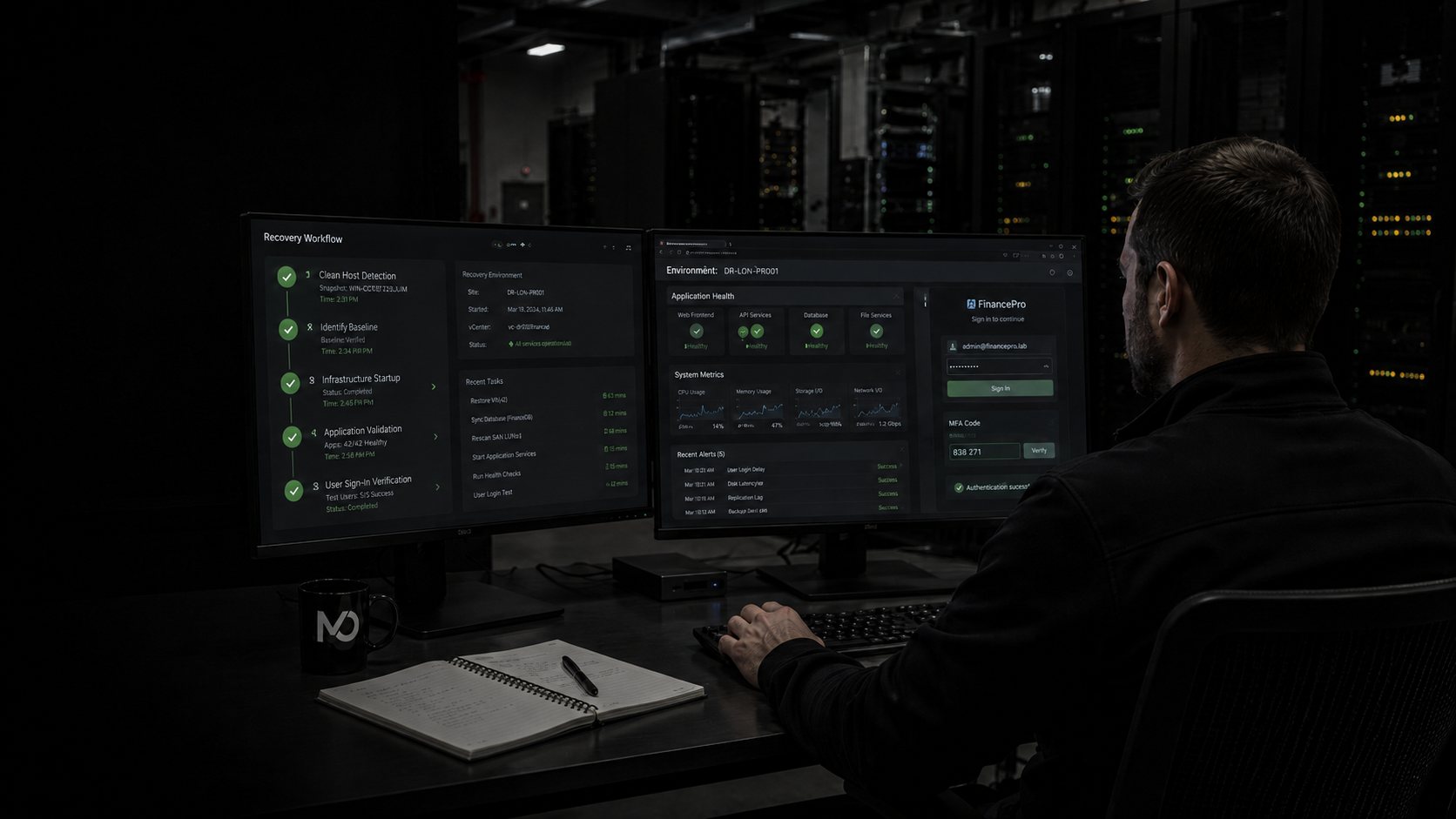
A green checkmark proves a task completed. Recoverability requires restoring the data, starting the application and confirming someone can log in, which is why restore validation runs monthly here rather than once a year.
Backups that share storage, credentials or network fate with production die with production. The design standard is 3-2-1-1-0: separated repositories, an off-site copy, an immutable or air-gapped copy, and zero unverified restores.
Microsoft 365, Entra ID and Active Directory are production systems. A restored server is of no use until people can sign in to it, so identity comes back first, which is how our recovery playbook sequences it.
Restoring the latest backup after ransomware often restores the ransomware. Clean recovery means anomaly and malware checks, clean-point selection and validation in an isolated environment before anything touches production.
Scale-out appliance clusters replacing aging purpose-built backup hardware, with retention lock, replication between sites and capacity sized for growth instead of last cycle’s estate.
Greenfield rollouts consolidating fragmented job-level tooling into policy-driven protection, with onboarding restore validation before go-live.
Upgrades, hardened repositories and immutable object targets for the backup platform you already run, built to the 3-2-1-1-0 standard.
Exchange, Teams, SharePoint and OneDrive plus Entra ID and AD objects, protected as first-class workloads. One current design protects 2,700 Microsoft 365 and Entra ID users on dedicated appliances; another scopes roughly 3,900 users, 10,000 directory objects, 1,795 VMs and 100 TB of object storage under one hybrid strategy.
Continuous replication for the workloads where minutes of data loss are unacceptable, tiered above standard backup and wired into declaration and failback procedures.
Cyber recovery as an executable workflow: clean-point identification, isolated and non-routable recovery environments, sequenced restoration starting with identity, customer validation gates, and return-to-primary planning. The public version of this thinking is Field Note 02.

Platform projects, upgrades and renewals for teams standardizing on policy-driven protection with strong cyber-recovery tooling.

Scale-out appliance clusters, refreshes and multi-year coterm structuring, extended into Microsoft 365 and Entra ID protection designs. The current standardization target for combined data center, SaaS and identity coverage.

Renewals, upgrades and coverage consolidation for the estates with the most to protect: databases, NAS, virtualization and SaaS under one policy engine. The established fit where audit and compliance requirements drive the architecture, with air-gapped and immutable copies built into the design.

Renewals, upgrades and hardened-repository designs for the backup platform we encounter most often in mid-market estates, plus immutable object targets and 3-2-1-1-0 alignment. Veeam is also an engine behind ModernOps BaaS, so we operate it daily under an SLA as well as quoting it.

Continuous replication as the low-RPO tier in a protection architecture: licensing, migrations and renewals, positioned above backup for the workloads where an afternoon of lost data is unacceptable.
NAKIVO (a hosted BaaS engine alongside Veeam), AFI for SaaS protection, Object First hardened targets, and storage-native protection covered on the Enterprise Storage page.
| Dimension | The old model | ModernOps |
|---|---|---|
| Protection scope | Inherited jobs, assumed complete | Workloads inventoried across infrastructure, SaaS, cloud, identity and remote sites |
| Backup integrity | Copies share fate with production | Separated repositories, immutability, off-site and air-gap patterns: 3-2-1-1-0 |
| Monitoring | Failures found manually, or during the incident | 24/7 job-health monitoring, triage, remediation and reporting |
| Restore confidence | Green job status treated as proof | Onboarding validation plus monthly test restores of real data |
| Cyber recovery | Restore the newest copy and hope | Anomaly checks, clean-point selection, isolated validation, rehearsed playbooks |
| DR execution | A document with no rehearsal | Documented objectives, declaration workflow, recovery order, validation, return to primary |
| Accountability | Reseller, MSP, vendor and customer hand work between queues | One team designs, deploys, operates, tests and coordinates escalation |
| Phase | What happens | What you hold at the end |
|---|---|---|
| Assess and prioritize | Inventory critical workloads, current protection, repositories, retention, immutability, replication, SaaS and identity coverage, RPO and RTO expectations and existing restore evidence. Rank risks by business impact. | A current-state view, the coverage shortfalls that matter, and an agreed definition of recovery success. |
| Stabilize and implement | Fix the urgent failures first. Separate backups from production where they share fate, modernize repositories and policies, enable immutable or air-gapped copies, integrate monitoring and ticketing, document recovery workflows. | Critical assets under governed protection, failing jobs remediated, alerting live, ownership clear. |
| Validate and optimize | Run representative restore tests, validate data integrity and application access, measure against objectives, update runbooks, establish reporting and the improvement roadmap. | Documented protection status, tested recovery evidence and an operating cadence. |
Thirty days stabilizes and proves the foundation. Appliance procurement, initial data seeding and full DR exercises run on their own timeline; a representative full deployment runs about ninety days from design to go-live.
This page covers the architect, procure, deploy and validate work, on platforms we sold or platforms we inherited. The operating layers are productized: BaaS runs the daily discipline of monitored jobs, remediation and monthly test restores, and DRaaS proves the larger claim that systems, identity, storage and networking can be activated together at a recovery site and returned safely. The same team delivers both.
A current design for a large law firm protects 2,700 Microsoft 365 and Entra ID users on dedicated appliance clusters, with test restores and 24/7 monitoring built into delivery.
A hybrid protection design scoping Microsoft 365, directory objects, AWS workloads and air-gapped copies under a single operating model.
One infrastructure assessment found the majority of VMs either unprotected or failing nightly, and satellite sites with no backup at all. It expanded directly into a funded remediation engagement.
Backup platforms, repositories and the DR plan as it stands. We will map coverage and find the shared blast radius.